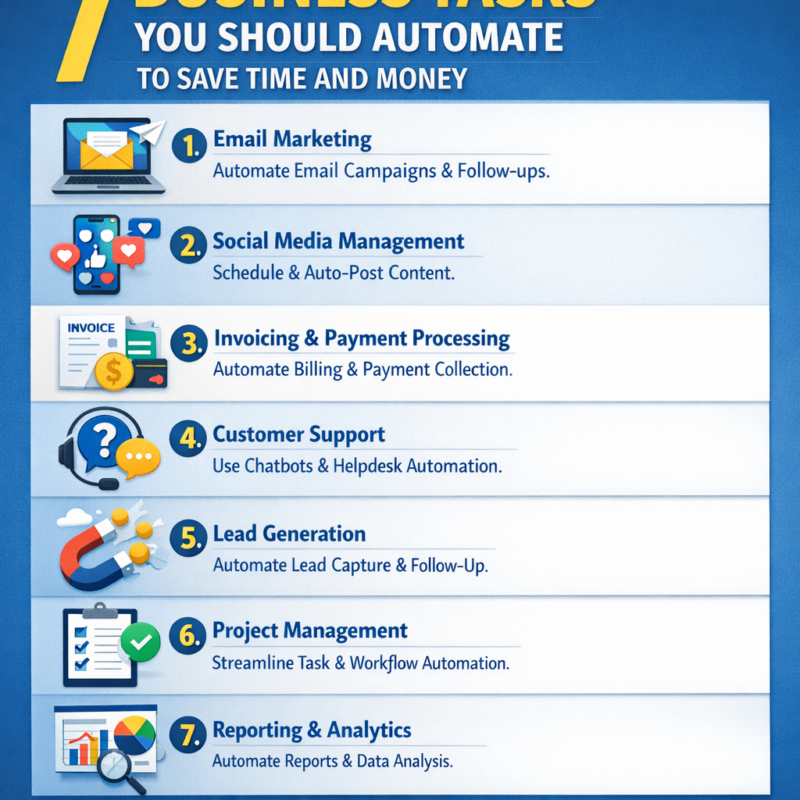
Automating repetitive business tasks is one of the fastest ways to reclaim your time, reduce costs, and scale without hiring an army. With today’s no-code tools and AI-assisted workflows, small businesses, freelancers, startups, and ecommerce brands can build systems that run 24/7—capturing leads, booking meetings, sending invoices, supporting customers, and surfacing insights while you sleep.
Why Automating Business Tasks Saves Time & Money
Automation eliminates the “busywork tax.” Copy-pasting data between apps, chasing late invoices, and answering the same five customer questions chew up hours you can’t bill for. When a workflow runs automatically—every time, the same way—you slash context switching, cut errors, and free your calendar for high-impact work like sales calls, product improvements, or content creation.
It also compounds efficiency across teams. A single automated trigger—say, a new WooCommerce order—can notify fulfillment in Slack, create a task in Trello, decrement inventory, and email the customer, all in seconds. Fewer handoffs mean fewer mistakes, faster cycle times, and more consistent customer experiences that boost retention and lifetime value.
Finally, automation improves unit economics. You replace variable labor with reliable, low-cost software. Monthly fees for tools like Zapier, Make, Calendly, Stripe, or Help Scout are typically tiny compared to the hours they save. And because these platforms integrate natively with WordPress, Shopify, and popular CRMs, you can implement them without a developer and see ROI in days, not months.
The 7 High-Impact Tasks to Automate First
Start where time leaks are largest and outcomes are easy to measure. Good first candidates share three traits: repetitive steps, clear triggers (form submitted, invoice overdue, order placed), and data already living in cloud apps. That makes setup straightforward and results obvious—think higher show-up rates, faster payment, or fewer support tickets.
Sequence your rollout. Implement one workflow per week: document the current process, build a minimum viable automation, test with edge cases, and add guardrails (notifications, retries, human approval if needed). This approach delivers quick wins while building internal confidence and a reusable automation playbook.
Quick FAQs: Q: What should I automate first? A: Lead follow-up or scheduling. Q: Will automation replace my team? A: It removes low-value tasks so your team can focus on judgment and relationships. Q: How do I avoid breaking changes? A: Standardize fields, use staging to test, and set up failure alerts in your automation tool. Q: Is this expensive? A: Most stacks cost less than a few hours of contractor time per month and pay for themselves quickly.
1. Automate Lead Capture and Follow-Up
Leads go cold fast. Automating capture and follow-up ensures every prospect is acknowledged instantly and nurtured consistently. Whether the source is a WordPress form, Instagram DM, or trade show QR, you can route new contacts to your CRM, score them, and trigger a personalized sequence that moves them to a booking or checkout.
Implementation is straightforward: connect WPForms, Gravity Forms, or Typeform to a CRM like HubSpot, Pipedrive, or Airtable via Zapier/Make or native integrations. Trigger email/SMS via Mailchimp, ActiveCampaign, or Klaviyo within five minutes of signup, include a Calendly link to book, and log all activity back to the contact record. A freelance designer, for example, boosted consult bookings 30% by sending an instant “portfolio + calendar” email from a WordPress form and a reminder 24 hours later.
Tips: segment by source and intent; use double opt-in to stay compliant (GDPR/CAN-SPAM), and authenticate your domain (SPF/DKIM/DMARC) to protect deliverability. A/B test subject lines and CTAs, and track conversion from lead to meeting to proposal to closed-won so you can quantify ROI and scale what works.
2. Scheduling and Calendar Bookings
Back-and-forth emails to find a time kill momentum. Automated scheduling tools let prospects pick a slot that matches your real-time availability, handle time zones, and add buffers—no VA required. You’ll see higher show-up rates and fewer last-minute scrambles.
Use Calendly, Google Calendar Appointment Schedules, or TidyCal and embed the booking widget on your WordPress site, email footer, and social bios. Auto-create a Zoom/Google Meet link, collect qualifying questions, and push confirmed bookings to your CRM and Slack. A small agency cut no-shows in half by adding SMS reminders 24 hours and 2 hours pre-call.
Best practices: set meeting caps per day to protect deep work, require a brief intake form to filter leads, and send an automated pre-read so clients arrive prepared. Measure no-show rate, time-to-first-meeting from inquiry, and close rate per meeting type to optimize your funnel and staffing.
3. Invoicing, Billing, and Expense Chasing
Cash flow is oxygen. Automating invoicing and collections shortens days sales outstanding (DSO) and reduces uncomfortable “just circling back” emails. It also eliminates data entry errors that cause payment delays and reconciliation headaches.
Connect Stripe, PayPal, or Square to QuickBooks or Xero so approved estimates become invoices automatically. Enable recurring subscriptions for retainers, add smart dunning (retry logic + reminder emails/SMS) for failed payments, and generate payment links right inside proposals with platforms like PandaDoc or Qwilr. A consultant recovered 15% of previously “lost” revenue by adding auto-reminders at 7/14/21 days past due.
Set clear payment terms, automate receipts, and sync taxes and item catalogs across systems. Track DSO, failed-payment rate, recovery rate after dunning, and average days to first payment. Keep records clean with unique invoice numbering and reconcile weekly so finance is always board-ready.
4. Customer Support with AI-Powered Chat and Help Desks
Support volume scales with growth, but headcount doesn’t have to. A smart mix of AI chat, a searchable knowledge base, and ticket routing can resolve common requests instantly and escalate the rest with full context to a human—improving CSAT while reducing cost per ticket.
Start with a help desk like Help Scout, Zendesk, or Intercom; build a structured knowledge base; and deploy a chatbot (Tidio, Intercom Fin, or ManyChat) on your WordPress site and Facebook/Instagram. Train the bot on approved articles, add guardrails, and use intent detection to collect order numbers or emails before handoff. A DTC brand deflected 40% of “Where is my order?” tickets by connecting the bot to Shopify for real-time status.
Tips: keep answers short, link to canonical docs, and always provide a “talk to a human” path. Measure first-contact resolution, median reply time, bot deflection rate, and CSAT. Review transcripts weekly to identify content gaps—then update your knowledge base and bot prompts so the system keeps getting smarter.
5. Ecommerce Order Processing and Inventory Sync
Manual order handling causes mis-picks, missed SLAs, and stockouts. Automating from checkout to fulfillment to inventory updates ensures speed and accuracy that customers notice—and review positively.
On Shopify, use Flow to auto-tag high-value orders, create pick/pack tasks, print labels via ShipStation or Shippo, and email tracking numbers. On WooCommerce (WordPress), pair AutomateWoo or Uncanny Automator with your shipping app and inventory system (Cin7, DEAR, or even Airtable) to sync counts across Amazon/Etsy. A boutique shop prevented 90% of oversells by setting low-stock alerts at five units and pausing ads automatically.
Layer in post-purchase flows: trigger review requests at delivery, cross-sell compatible items at day 14, and win back carts with email/SMS after one hour. Track fulfillment cycle time, stockout rate, return reasons, and contribution margin after shipping to tune your operations and pricing.
6. Social Media Posting and Content Distribution
Consistency beats bursts. Automating scheduling and distribution keeps your brand active while you focus on creating better content and engaging with customers, not wrestling with posting windows.
Use Buffer, Hootsuite, Metricool, or Publer to queue posts, repurpose your best-performing content, and auto-attach UTM parameters for analytics. Connect WordPress RSS to kick off “publish once, distribute everywhere,” syndicating blog posts to LinkedIn, Facebook, and email. A solo creator tripled traffic by auto-sharing new posts, then using AI-generated snippets as carousels and threads.
Guard against “set and forget”: review your queue weekly, avoid tone-deaf posts during sensitive events, and keep a manual approval step for paid promos. Track reach, CTR, saves/shares, and assisted conversions in GA4/Looker Studio. Use best-time-to-post analytics and pin top content to extend its life.
7. Reporting and Analytics Dashboards
If it’s not measured, it won’t improve. Automated reporting gives you a single source of truth without spreadsheet gymnastics, so decisions happen faster and with more confidence.
Pipe data from GA4, Stripe, Shopify/WooCommerce, Facebook/Google Ads, and your CRM into Looker Studio, Databox, or Power BI. Build a simple KPI deck: traffic, lead-to-meeting rate, CAC, DSO, LTV, and net revenue retention. Schedule weekly email or Slack summaries and set anomaly alerts (e.g., spend spikes, conversion dips) so you catch issues early. A SaaS founder shaved 20% off ad spend by auto-pausing campaigns when CAC exceeded target for 48 hours.
Keep definitions tight: document how each metric is calculated, freeze schemas, and version your dashboards. Start with a “North Star” metric and three supporting levers, then expand. Automate data hygiene—dedupe contacts, standardize UTM tags—so your insights stay trustworthy.
You don’t need a massive budget or a full-time ops team to build a business that runs on rails. Start with one workflow—lead follow-up or scheduling—prove the ROI in a week, then stack the next. By automating these seven tasks across marketing, sales, support, ecommerce, and reporting, you’ll reclaim hours, cut costs, and create the consistent customer experiences that fuel durable growth. The best time to start was yesterday; the second-best time is right now.